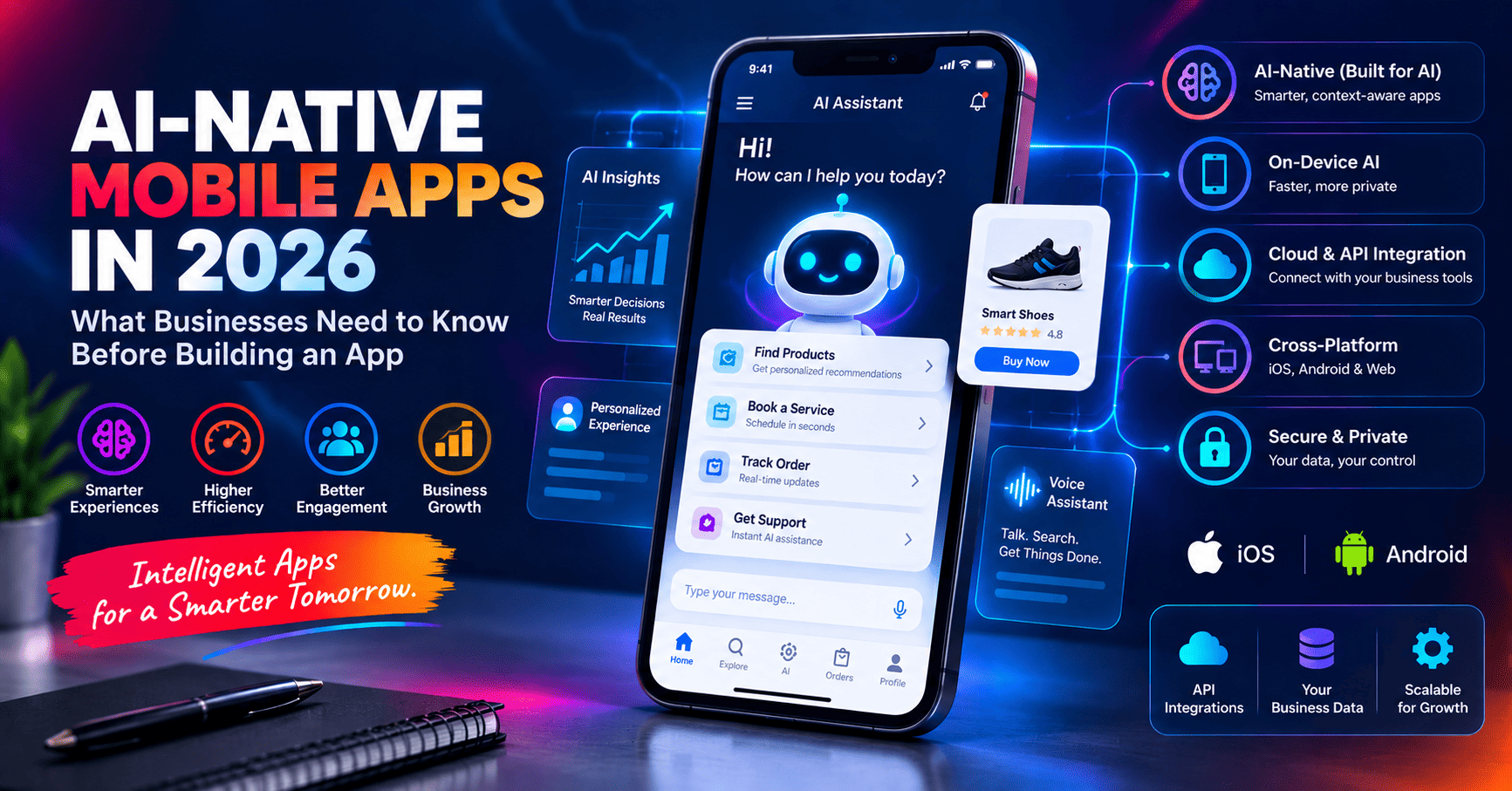
Mobile applications are changing rapidly in 2026. Businesses are no longer building apps only to provide another screen for customers to access their services. Modern apps are increasingly expected to understand user intent, personalize experiences, connect with business systems and use artificial intelligence to help users complete tasks.
This shift is creating a new approach to mobile development: AI-native mobile applications.
An AI-native app is designed with intelligence as part of its architecture rather than adding an AI chatbot as an afterthought. For businesses planning a new mobile application, understanding this change can help avoid expensive architectural decisions later.
What Is an AI-Native Mobile App?
An AI-native mobile application is a product where artificial intelligence is considered part of the core application experience.
Instead of simply following a traditional model such as:
User taps a button → App sends request → Server responds
An AI-native application can also support experiences such as:
User describes a goal → AI understands intent → AI uses available data and tools → App performs actions → User receives the result
For example, instead of navigating through several screens to find products, a customer could ask the application:
"Find me a pair of running shoes under $150 and show me the best options."
The application could understand the request, search relevant product data, apply filters and present suitable options.
Why AI Is Becoming Important in Mobile Apps
AI usage on mobile devices is expanding rapidly. Sensor Tower reported that global time spent in generative AI applications was projected to more than double year over year in the first half of 2026. This reflects how quickly AI is becoming part of everyday digital experiences.
For businesses, the important question is not simply whether an application should contain AI. The better question is:
Where can AI remove friction or create measurable value for the customer?
Possible applications include:
- AI-powered search
- Personalized recommendations
- Voice assistants
- Document and image analysis
- Smart customer support
- Automated task completion
- AI-powered sales assistance
- Personalized dashboards
- Predictive notifications
- Business workflow automation
1. AI Should Be Designed Into the Architecture
One of the biggest mistakes businesses can make is building a traditional application first and deciding later that they want to add AI.
Adding AI later is possible, but the application may not have been designed to provide the AI system with the right data, APIs, permissions or actions.
A better approach is to identify potential AI capabilities during the architecture and product-design stage.
This does not mean every part of the application needs AI. It means the architecture should be flexible enough to support intelligent features when they provide real value.
2. On-Device AI Is Becoming More Important
Not every AI operation needs to happen in the cloud.
Modern smartphones increasingly provide hardware capable of running certain AI and machine-learning workloads locally on the device.
On-device processing can be useful when an application requires:
- Lower response latency
- Offline functionality
- Greater privacy
- Reduced dependence on network connectivity
- Lower cloud processing requirements for suitable workloads
For example, an application could use local intelligence for certain text, image, voice or personalization features while sending more complex operations to a cloud-based AI service.
3. Cloud AI and On-Device AI Can Work Together
Businesses do not necessarily have to choose between cloud AI and on-device AI.
A hybrid architecture can use each approach where it makes the most sense.
For example:
- On-device AI: Fast, private or offline processing
- Cloud AI: Complex reasoning and large-scale processing
- Business APIs: Access to products, orders and customer information
- Database: Business and application data
- Automation layer: Workflow execution
This gives businesses greater flexibility when designing intelligent applications.
4. AI Agents Can Turn Apps Into Action-Oriented Products
A chatbot mainly provides information. An AI agent can potentially go further by understanding a goal and performing a sequence of actions using approved tools.
For example, imagine a service-booking application.
A customer could say:
"Book me an appointment with the earliest available specialist this week."
An AI-enabled workflow could:
- Understand the customer's request.
- Identify the required service.
- Check availability.
- Present suitable options.
- Confirm the customer's choice.
- Create the appointment.
- Send a confirmation notification.
This type of experience changes the role of the mobile application from a collection of screens into an intelligent interface for completing tasks.
5. Cross-Platform Development Is a Strong Choice for Many Businesses
Businesses often need both iOS and Android applications.
Building and maintaining two completely separate applications can increase development effort, testing requirements and long-term maintenance.
Modern cross-platform technologies such as Flutter and React Native have matured significantly and can provide a strong option for many business applications.
With a suitable architecture, businesses can share substantial portions of their application logic while still integrating platform-specific functionality where required.
Flutter vs React Native in 2026
There is no single framework that is perfect for every application.
Flutter
- Single codebase for iOS and Android
- Strong control over UI design
- Good fit for custom business interfaces
- Useful for startups and new products
- Can support AI-powered application experiences
React Native
- Strong JavaScript and TypeScript ecosystem
- Good choice for teams with React experience
- Useful when an existing React web product is involved
- Supports native integrations when required
- Can share application logic with suitable web architectures
The correct choice should be based on the product requirements rather than choosing a framework simply because it is currently popular.
When Native Mobile Development Still Makes Sense
Cross-platform development is not always the best answer.
Native development can be appropriate when an application requires deep platform-specific capabilities or maximum hardware access.
Examples can include:
- Advanced camera processing
- Complex AR experiences
- Specialized Bluetooth hardware
- Advanced graphics
- Platform-specific machine learning
- Highly specialized background processing
- Deep integration with operating-system capabilities
The decision should therefore be based on the actual technical requirements of the product.
6. Privacy Should Be Part of the Product Design
AI-powered applications can potentially access more information than traditional applications, including messages, documents, images, location information and business data.
That makes privacy and security increasingly important.
A professional mobile application should consider:
- Data minimization
- Secure authentication
- Encryption
- API security
- Permission management
- Secure storage
- Role-based access
- AI data handling
- Audit logging where appropriate
- Clear user controls
AI should never be given unrestricted access to business systems simply because an application needs automation.
7. Build Permission-Based AI Actions
When an AI system can perform actions, businesses should carefully control what it is allowed to do.
For example, an AI assistant might be allowed to:
- Search products
- Check order status
- Generate recommendations
- Create a draft message
But actions such as deleting records, transferring money or making high-value business decisions may require explicit confirmation or human approval.
This creates a safer architecture where AI can be useful without receiving unrestricted control.
8. Connect the Mobile App to Business Systems
A mobile application becomes much more valuable when it can communicate with the systems a business already uses.
For example:
Mobile App → API → CRM → Database → AI → Automation → Notification
This can allow businesses to build connected experiences rather than isolated mobile applications.
Possible integrations include:
- CRM systems
- Payment gateways
- E-commerce platforms
- ERP systems
- Customer databases
- Cloud services
- Email platforms
- Analytics systems
- AI platforms
- Business automation tools
9. Offline-First Experiences Matter
Users cannot always depend on a perfect internet connection.
Field workers, delivery teams, sales representatives and customers traveling between locations may experience weak or unavailable connectivity.
For these applications, an offline-first architecture can provide a better experience.
The app can store appropriate information locally, allow users to continue working and synchronize data when connectivity returns.
This can be particularly useful for:
- Field service applications
- Delivery applications
- Inventory systems
- Sales applications
- Inspection applications
- Healthcare workflows
- Business management applications
10. Don't Add AI Just Because It Is Trending
AI should solve a real problem.
A mobile application does not automatically become better simply because it contains an AI chatbot.
Before adding AI, businesses should ask:
- What customer problem are we solving?
- Will AI make the experience faster?
- Can AI reduce repetitive work?
- Can AI personalize the experience?
- Does the feature require cloud AI or on-device processing?
- What data will the AI need?
- What actions should AI be allowed to perform?
- Where should human approval be required?
These questions help keep AI focused on measurable business outcomes.
11. Design the App for Future AI Capabilities
A business may not need an AI agent on day one.
However, designing a flexible architecture can make future AI integration much easier.
A future-ready architecture should consider:
- Clean APIs
- Structured application data
- Secure authentication
- Modular services
- Event-driven workflows where appropriate
- Scalable backend infrastructure
- Analytics and observability
- Flexible AI integration points
This makes it possible to introduce new intelligent capabilities without rebuilding the entire application.
12. AI Can Improve the Mobile App Development Process Too
AI is not only changing the applications being built. It is also changing how development teams build them.
AI-assisted development can help developers with tasks such as:
- Generating initial code
- Creating test cases
- Finding potential bugs
- Explaining existing code
- Generating documentation
- Refactoring repetitive code
- Creating prototypes
- Analyzing application logs
However, AI-generated code still requires experienced engineering review, testing and security validation before production use.
What Should Businesses Decide Before Building a Mobile App?
Before development starts, businesses should clearly define the product requirements.
- Who will use the application?
- What problem does it solve?
- Which platforms are required?
- Does the application need AI?
- Which AI features provide real value?
- Should any AI processing happen on the device?
- Which external systems need integration?
- What data will the application store?
- What security requirements apply?
- Which actions require human approval?
- How will the application scale?
- How will it be maintained after launch?
How PCG Infotech Can Help Build Modern Mobile Apps
PCG Infotech develops mobile applications for businesses that need more than a basic mobile interface.
Our mobile development capabilities include Flutter, React Native, API integration, backend development, AI integration, database connectivity and business automation.
Depending on the project, we can build applications that connect mobile users with websites, e-commerce platforms, CRM systems, custom software, AI services and business workflows.
The focus is on creating a practical and scalable product rather than simply delivering an app that works on a phone.
Final Thoughts
Mobile applications in 2026 are moving toward a more intelligent, connected and personalized experience.
AI-native architecture, on-device intelligence, cross-platform development, secure APIs and privacy-first design are becoming important considerations for businesses planning their next application.
The biggest opportunity is not to add as much AI as possible. It is to identify where intelligence can remove friction, automate useful tasks and create a better customer or employee experience.
Businesses that plan their mobile architecture with these requirements in mind can create applications that are easier to evolve as AI capabilities continue to improve.
Planning a Mobile App for Your Business?
If you are planning a new iOS and Android application, upgrading an existing mobile product or looking to add AI and automation to your app, the architecture decisions made at the beginning can have a major impact on future development and maintenance.
PCG Infotech can help you plan, design and develop modern mobile applications using Flutter, React Native, AI integrations, APIs, cloud services and custom business systems.
Contact PCG Infotech to discuss your mobile application idea and identify the right technology and architecture for your business.
Looking for help with a similar project?
Explore the relevant PCG Infotech service or start a conversation about your website, software or automation requirements.